



 |
|
 | |
 | |
 | |
 | |
 | |
 | |
|
 | ||||
Eye-catching, classy icons of this voluminous icon set illustrates virtually all matters of table processing including editing, importing, exporting, filtering of tables, dozens of pictures for different table types and other vital glyphs irreplaceable in table software. Purchase this unique set of 156 table-related icons and get all common dimensions (16x16, 20x20, 24x24, 32x32, and 48x48 pixels), 256 color and 32-bit True Color variants, as well as three states for each icon: normal, grayed and highlighted. Perfect Table Icons presents each icon in four image formats (ICO, BMP, GIF, PNG), so incorporating icons to software is a no brainer. And the decent price of $49.95 means you can save on custom design too. 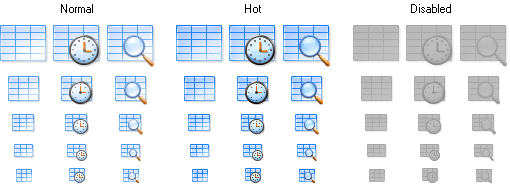


Perfect Table Icons
Table Icons – Perfect Choice for Any Table Processing SoftwareIf you develop table processors, sheet editors or other table software you undoubtedly want to make your products as much attractive as possible. After all, it is the interface users interact with first, so icons and toolbars create that very effect that can heat up the interest to the program. You shouldn’t disregard the esthetic portion of the first impression too. Overall, this means that great, finely designed icons can significantly help your software sell better.Perfect Table Icons contains a serious number of professionally drawn icons, all devoted to the table and database theme. By taking a brief look at the collection you can find icons for common database operations, table actions, table types, SQL query icons, icons for table charts and diagrams, icons depicting the type of data stored in the table and many more. Importantly, each such icon is a state of the art picture clearly representing the central point of the pictogram and making this in a nice and distinctive way. The entire set is made in the same recognizable style, so you don’t have to lurk for table icons across multiple icon stocks and mess with inconstant style and quality – all icons you need for your table software are here, in our Perfect Table Icons set! For a fair price of $49.95 you get as much as 156 icons illustrating nearly all concepts and notions one could refer as table-related. Moreover, every icon comes in the following sizes: 16x16, 20x20, 24x24, 32x32, and 48x48 pixels; in 32-bit True Color and in legacy 256 colors too. For easier integration, each icon has three pre-drawn states: normal, highlighted and grayed. Icons are supplied in multiple formats as well: Windows icon (ICO), Bitmap (BMP), GIF and PNG with the alpha-channel. | ||||
|
Website Icons | Stock Icons | Download Icons | Buy Icons | Icons for Website | Support
Privacy Policy | Terms of Use | Refund Policy Copyright © 2005-2022 Aha-Soft. All rights reserved. |


|

 Perfect Toolbar Icons